
Reseller guides / Eagle4KPanel.com
Eagle 4K Works in One Player but Not Another: A Comparison Checklist
Published 26 October 2026 · Eagle4KPanel.com · Reseller troubleshooting guide
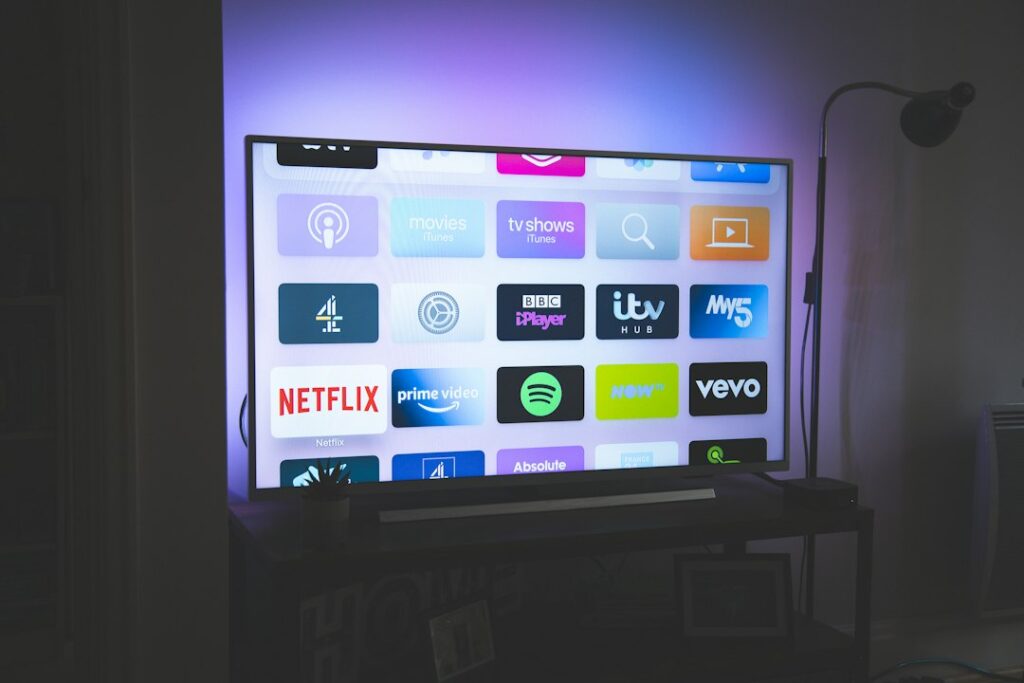
Illustrative photo by Nicolas J Leclercq on Unsplash, used under the Unsplash licence; not a screenshot of the service.
When the same Eagle 4K channel plays in one app but fails, spins or shows an error in another, the account is not automatically broken. The two players may use different request handling, media extractors, decoders, output formats or device integrations. Compare them under controlled conditions before changing the customer’s credentials or blaming the reseller panel.
This guide is for authorised reseller support. It does not certify any named player for every Eagle stream, claim that Eagle IPTV and Eagle 4K use identical settings, or reproduce unofficial download codes. The objective is to identify which layer changes when the result changes.
What the dated Reddit reports actually show
On 17 May 2025, an Eagle 4K trial user reported that some channels played in IPTV Smarters while TiviMate displayed HTTPSourceException errors. The same post also described a slow, crashing Smarters interface on Chromecast with Google TV. That is one historical user account, not a compatibility specification, but it clearly separates catalogue access from player behaviour.
A second Eagle 4K report dated 27 May 2025 said the previous-channel action could spin even though selecting the channel again through the list worked. The author used TiviMate. That pattern suggests testing the exact navigation path and session state; it does not establish a service-wide fault.
Use these anecdotes to choose test variables, not to declare one player universally better. App versions, device firmware, account rules and streams can all change after the posts were written.
Compare the five layers, not only the app name
| Layer | What can differ | Evidence to capture |
|---|---|---|
| Account input | Eagle offer, server address and login method | Redacted account label and whether the playlist refresh succeeds |
| Player request | Redirects, headers, output-format choice and retry behaviour | Exact app/version, error text and timestamp |
| Media handling | Container recognition, codec support and audio/video track selection | Player information panel and affected item |
| Device integration | Hardware decoder, operating system and display output | Device model, OS version and decoder mode |
| Local network | DNS, VPN path, Wi-Fi/Ethernet and filtering | Same network or deliberate one-variable comparison |
Android’s official Media3 supported-formats documentation distinguishes container formats, sample formats and platform decoders. A player can understand the account yet fail on a particular media format or decoder path. That general technical fact does not identify which engine a commercial player uses.
Run one controlled A/B test
- Choose one repeatable item. Record the exact channel or VOD title, date, time zone and whether video, audio or both fail.
- Stop simultaneous playback. Close the first player before opening the second so the comparison does not accidentally exceed an account connection allowance.
- Use the same authorised credentials. Re-enter them only through verified app screens. Do not paste a playlist URL into public websites or screenshots.
- Keep the device and network unchanged. Compare player A and player B on the same device first. A different device introduces another variable.
- Refresh once. Confirm whether each player can update the playlist and EPG separately from playing the selected item.
- Record the complete result. Note start-up time, error code, picture, sound and whether selecting the channel from the full list differs from the previous-channel button.
- Restart before changing settings. Close both apps, restart the device and retest the baseline once.
- Change one documented option. Decoder, output format or frame-rate matching should be tested only where the player documents it; preserve the original value.
- Repeat on one approved second device only if needed. Stop the first session and stay within the account rules.
Interpret the comparison carefully
| Result | Most useful next layer | What it does not prove |
|---|---|---|
| Both players fail on one item | Item-specific source or account path | That the whole Eagle offer is unavailable |
| Player A works; player B returns HTTP error | Player request, redirect, URL or authentication handling | That player B is always incompatible |
| Both refresh; only one decodes video | Media extractor, codec or hardware decoder | That changing DNS will repair decoding |
| Same player works on phone, fails on TV box | Device OS, decoder, storage or network path | That the account needs replacement |
| Previous-channel button fails; list selection works | Player navigation/session state | That the channel itself is permanently down |
| Every legitimate app fails at the same time | Account, endpoint, network or upstream response | That repeated reinstallation is the right first step |
Check redirects and media recognition
Google’s official Media3 troubleshooting guide explains that ExoPlayer normally follows HTTP 301/302 redirects, but cross-protocol redirects between HTTP and HTTPS are not followed by default. It also documents UnrecognizedInputFormatException when none of the available extractors can read a stream. These are developer-level examples; they explain why two implementations may react differently without proving the cause of an Eagle incident.
Do not ask a customer to alter a User-Agent, inject headers, switch from HTTPS to HTTP or install a modified APK unless the verified app or authorised support documentation explicitly requires it. Those changes can weaken security or disguise the original evidence.
Use safe player and device changes
- Update the player only from its verified publisher or app-store route.
- Confirm that the player supports the supplied login method before re-entering credentials.
- Compare software and hardware decoding only if the option exists and is documented.
- Preserve favourites and settings before clearing app storage; clearing cache and clearing data are not the same action.
- Do not keep several players actively streaming while troubleshooting.
- Do not copy one customer’s configured backup to another customer or device.
- Remove test credentials from a device that will not remain authorised.
For installation-source checks, use the Eagle 4K app verification guide. If the playlist loads but the picture stays black, follow the black-screen checklist. Login-format differences are covered in the M3U, Xtream and Stalker/MAG guide.
Germany, Europe and USA support notes
Record the app-store region, device market variant and operating-system version. A player available on a US Fire TV account may not have the same listing, version or permissions on a German or other EU account. Do not work around a regional absence by sending an unverified APK.
For customers who use several devices, separate installation eligibility from simultaneous-connection permission. A player licence that covers several devices does not increase the Eagle account’s allowed live connections. Close earlier sessions before comparing devices.
If the issue appears only when returning with a Previous Channel shortcut, use the Eagle 4K channel-switching checklist before replacing the line or changing panel credentials.
Frequently asked questions
Does one working player prove the Eagle 4K account is healthy?
It proves that the tested item worked through that specific player, device, network and time. It does not establish the entire catalogue, another device or future availability.
Should I change the output format from MPEG-TS to HLS?
Only if the verified player exposes that setting and the authorised support path confirms it is appropriate. Record the original value, test one item, then restore the baseline if there is no improvement.
Can I fix a player error by creating a new customer line?
Do not spend credits or replace a line before showing that the existing credentials are wrong or inactive. A player-specific result usually calls for a controlled comparison first.
Which player is officially guaranteed for every Eagle 4K stream?
No universal guarantee is established by the sources used here. Confirm the current supported setup through the seller of the exact Eagle offer and the verified player publisher.
Confirm the setup before choosing a panel
Eagle4KPanel.com sells reseller panels, not retail subscriptions. Review the current Eagle IPTV and Eagle 4K credit packages without converting credits into months or accounts. For a player-specific requirement, contact WhatsApp +44 7400 751626.
Research note: Checked 26 October 2026. The Reddit links are dated user anecdotes. Android documentation supports the general format and redirect explanations only. No first-hand Eagle player test, compatibility promise or current channel claim is made.