
Reseller guides / Eagle4KPanel.com
Eagle 4K on Smart TV vs Streaming Device: A Reseller Checklist
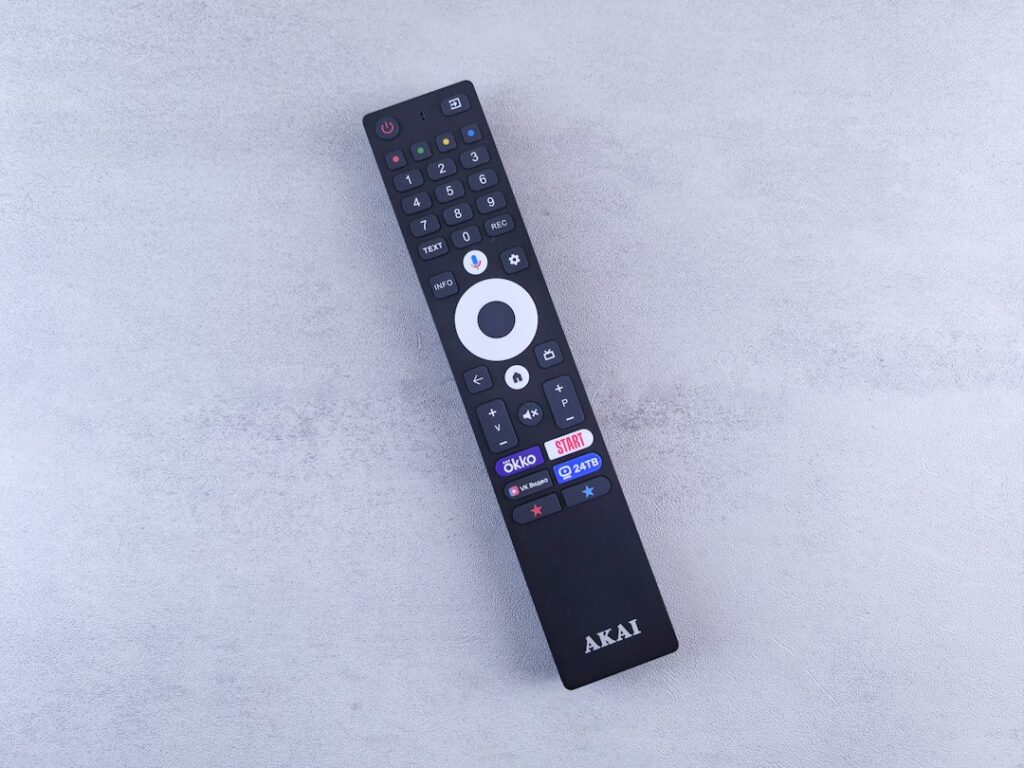
Published 24 October 2026 · Eagle4KPanel.com · Reseller troubleshooting guide
Illustrative photo by Andrey Matveev on Unsplash, used under the Unsplash licence; not a screenshot of the service.
Choose the customer’s device only after confirming the exact operating system, model year, region, app-store listing and authorised Eagle login method. “Smart TV” is not one platform: Samsung, LG, Google TV, Fire TV and other systems use different stores, update policies and player choices.
This article is a selection checklist, not a recommendation for a specific brand or a claim that Eagle IPTV or Eagle 4K supports every television. The two offers are separate, and compatibility must be confirmed for the exact panel, player and customer device.
Why platform questions recur
A Strong 8K Reddit thread displayed as two months old on 24 October 2026 asked which Samsung player was compatible because many similarly named apps appeared in the store. Replies contradicted one another about cost, compatibility and the correct app. This is an anecdote about another service, but it demonstrates why an app name or logo from a forum is not enough verification.
An older thread displayed as one year old on 24 October 2026 compared a Samsung-native app with an Android box. The discussion included unsupported URL alterations and product recommendations. Treat those as user opinions, not official instructions for Eagle.
Start with the actual operating system
| Device category | What to verify | Common planning constraint |
|---|---|---|
| Samsung Smart TV | Exact model/model year, region and Samsung Apps listing | App availability and updates depend on model and region |
| LG webOS TV | Exact model, webOS version, served country and LG Content Store listing | An app visible in one country may not be listed for another |
| Google TV / Android TV device | Play Store listing for that exact TV or box, OS updates and storage | Device compatibility and TV-optimised navigation |
| Amazon Fire TV device | Amazon Appstore compatibility, Fire OS version, storage and update support | Appstore availability and device generation |
| Apple TV or other platform | Verified platform listing and supported login type | Different player ecosystem and backup behaviour |
Samsung’s official TV Apps documentation says available apps may vary by country or region. LG’s Content Store guidance tells owners to check apps for their region and TV model. These are platform facts, not Eagle compatibility confirmations.
Built-in Smart TV app: when it may suit the setup
- The exact player appears in the television’s official store for the customer’s model and country.
- The player publisher and pricing are verified on the store listing.
- The player accepts the authorised login method supplied for the exact Eagle offer.
- The remote navigation, EPG, subtitles and audio selection can be demonstrated on that model.
- The television still receives software and app updates.
- The customer prefers one remote and a simple home screen.
A built-in app reduces external hardware and cables, but it can also tie the setup to the television’s app catalogue and update cycle. Do not promise that an app available on a 2026 model exists on a 2020 model with the same brand. Record model code, region and store result before purchase.
External streaming device: when it may suit the setup
- The TV’s native store lacks a verified compatible player.
- The reseller needs a wider set of TV-optimised player choices from an official store.
- The customer wants a replaceable device rather than changing the television.
- Storage, app updates and system restart controls are easier to document.
- The HDMI input, power supply, Wi-Fi/Ethernet plan and remote controls are acceptable.
- The device’s resolution and audio capabilities match the television and sound system.
Google’s Google TV app-installation guide covers installing apps from its supported store. Amazon’s Fire TV installation guidance directs users to search and download apps from Fire TV. Neither source confirms an Eagle player; verify the specific listing and publisher.
Use this decision matrix
| Requirement | Built-in TV app may be better when… | External device may be better when… |
|---|---|---|
| Simplicity | The verified app is available and one remote matters | The TV app catalogue is too limited |
| Maintenance | The TV still receives reliable app/OS updates | A replaceable, separately updated platform is preferred |
| Player choice | One verified native player meets all needs | Several legitimate TV-optimised players must be evaluated |
| Travel or replacement | The customer will keep the same TV | The setup may move between televisions |
| Picture/audio controls | The native app works correctly with the TV | An HDMI device offers clearer documented controls |
| Support workload | Model and store listing are standardised | The reseller can standardise one external platform |
Verify the player before entering credentials
- Search the official store on the exact device. Similar names and logos do not establish the publisher.
- Read the listing. Record publisher, supported operating system, pricing model, permissions and latest update date.
- Confirm the login type. Do not assume M3U, Xtream-style or Stalker/MAG details are interchangeable.
- Install from the verified source. Avoid forum APKs, unofficial downloader codes and credential-extraction workarounds.
- Test navigation before customer handoff. Check remote focus, EPG, favourites, subtitles and sign-out without claiming unverified features.
- Document recovery. Know how to update, force stop, clear cache and remove the app without losing the only copy of credentials.
The Eagle 4K player-verification guide covers publisher and download-source checks. The login-method guide explains why the credential format must match the player.
Germany, Europe and USA: region checks
Use the customer’s real device region and official store. Do not change a served country merely to obtain an app unless the platform owner and app terms permit it. App availability, billing currency, privacy notices and support contacts can differ between Germany, another EU country and the USA.
LG’s official support says the Content Store can be checked by country and model. Amazon notes in its country-use guidance that some apps and games may not work after a country change. Confirm before selling or standardising a customer setup.
Do not confuse device choice with connection allowance
A player being installable on several devices does not mean one customer line may stream concurrently on all of them. Device planning and permitted connections are different. Use the multiple-devices and connections guide and confirm the exact account terms.
For Apple households, use the Eagle 4K Apple TV and iPhone setup checklist to verify App Store identity, permissions and login behaviour on each device.
Frequently asked questions
Is a Samsung or LG app automatically compatible with Eagle 4K?
No. Verify the exact app listing, publisher, login method and panel instructions. A similar app name or a Reddit recommendation is not proof.
Is an external box always faster than a Smart TV?
No. Performance depends on the exact models, software, storage, network and player. Compare measurable requirements rather than making a brand-wide promise.
Can one standard setup work for every customer?
Only if the reseller verifies the same model, region, player version and requirements. A checklist can be standard; compatibility conclusions must remain device-specific.
Should I sideload an app if the store does not show it?
Do not treat sideloading as a default. Missing availability can indicate incompatibility, region limits or an unverified publisher. Use the approved installation route for the exact panel.
Choose the offer after the device requirements
Eagle4KPanel.com sells reseller panels, not retail subscriptions. Review the current Eagle IPTV and Eagle 4K credit packages without translating credits into months or accounts. Send the exact TV model, country and intended player to WhatsApp +44 7400 751626 before choosing a panel.
Research note: Checked 24 October 2026. Reddit links are user discussions about Strong 8K and cannot verify Eagle compatibility. Samsung, LG, Google and Amazon sources support only their app-store and region guidance. No player, device or current app availability is guaranteed here.