
Reseller guides / Eagle4KPanel.com
Eagle 4K Playlist Loads but Channels Are Black: What to Check
Published 21 October 2026 · Eagle4KPanel.com · Troubleshooting guide
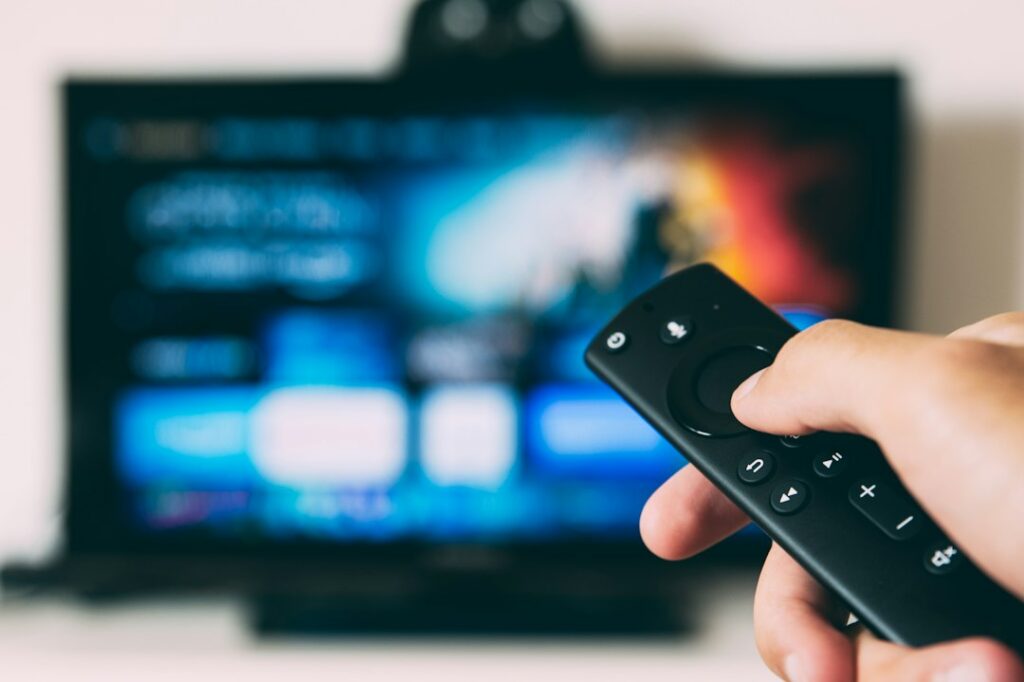
Illustrative photo by Glenn Carstens-Peters on Unsplash, used under the Unsplash licence; not a screenshot of the service.
If an Eagle 4K playlist loads but playback stays black, separate the symptom before changing credentials: test one permitted channel, restart and update the player and device, then compare sequentially on a second supported device without exceeding the account’s connection limit. A loaded list proves only that the player received catalogue data. It does not prove that every stream can be decoded or reached by that device.
This guide is for resellers diagnosing customer reports. It does not claim that a particular channel is currently available, certify a player, publish installation codes or recommend simultaneous multi-device testing. Eagle IPTV and Eagle 4K are separate offers, so first confirm which account and setup you are handling.
A dated community example—and what it actually shows
In a 27 January 2026 Reddit thread about another service, a user reported that the playlist loaded but channels showed a black screen. The user later said the same links worked on an iPad and smart TV but not on a Fire TV device. That anecdote does not identify a universal cause and does not verify anything about current Eagle channels. It does demonstrate a useful isolation method: when the same account works sequentially on another device, concentrate first on the original device, app and local network path.
Do not copy app download codes or private setup details from a historical thread. Verify the player’s publisher and download source using the Eagle 4K app-verification guide.
Name the exact black-screen symptom
| What the user sees | What it suggests | Next test |
|---|---|---|
| The playlist does not load at all | Input, credential, address or configuration problem—not the black-screen case covered here | Recheck the exact setup method and error text; do not start with codec changes. |
| The list loads but every tested live channel is black | A device, app, account, network or broad playback-path issue | Test one known permitted channel, restart, update, then compare sequentially on one other supported device. |
| Only one channel or group is black | An entry-specific, group-specific or source-side issue is more plausible | Record exact channel names and times; avoid changing the whole setup. |
| Audio plays but picture is black | Video decoding, track selection, display mode or device capability deserves attention | Try the player’s documented decoder/display setting only if available; record device and app versions. |
| Picture freezes or buffers rather than staying black | Throughput, congestion or latency may be the better diagnostic path | Use the buffering guide. |
Follow this low-risk diagnostic order
- Confirm scope. Record Eagle IPTV or Eagle 4K, device model, operating system, player name and version, exact time and timezone, and whether the problem affects all channels or a subset.
- Return to live playback. Exit catch-up, recordings and VOD. Test one live channel the account is expected to access; do not scan dozens of channels.
- Restart cleanly. Close the player, restart the device and reopen the app. This clears transient state without erasing saved credentials.
- Update software. Install the device’s system updates and the verified player update from its legitimate publisher or store.
- Check the network. Confirm the device itself is online. If a VPN is already active, follow the VPN troubleshooting guide rather than repeatedly switching endpoints.
- Use cache controls carefully. Clear cache first when the platform offers separate cache and data controls. Clearing app data can remove the saved setup, so preserve the verified connection method before doing it.
- Compare sequentially. Sign out or stop playback on the first device, then test the same account on one second supported device—only within the account’s authorised connection limit.
- Escalate with evidence. If the scope is clear but the cause is not, send the reseller or support contact a concise, redacted case record.
Device and app checks that matter
Restart and update before resetting
Google’s current Google TV troubleshooting guidance recommends checking the network, installing system updates, restarting, checking the active profile and clearing app data. It places a factory reset later because it erases data. For a reseller, that order is valuable: start with reversible steps and preserve the customer’s verified configuration.
Amazon’s Fire TV help likewise documents restarting the device and clearing an app’s cache or data. The controls are platform tools, not proof that the app or Eagle account is faulty. Because clearing data can remove login information, use it only after recording the legitimate setup method and trying a cache clear or restart first.
A player can load a list yet fail to decode video
If the same item works in one app but fails in another, use the Eagle 4K player-comparison checklist to separate request handling, media format, decoder, device and network variables.
A catalogue and a video stream are different workloads. Android’s Media3 supported-formats documentation, updated 21 July 2026, explains that default sample-format support depends on the Android platform and device decoders; HDR playback also depends on platform and device capability. That means a player may parse the list while a particular device cannot render a video format or profile.
The Android Media3 troubleshooting guide, updated 8 September 2026, also notes that unsupported formats and device decoder limitations can cause playback failures, while high bitrate or resolution can exceed device capability. These developer references explain why device-specific comparison is useful; they do not prove the format of an Eagle stream or identify the cause of one customer’s case.
Check display and track choices without guessing
- If audio plays but video is black, note whether the device is using HDR, a changed resolution or an external display path. Return to a known working display mode if the device documents how.
- If the player exposes a documented hardware/software decoder choice, record the current value before changing it and alter one setting at a time.
- If only one audio or subtitle track fails, use the subtitles and audio guide instead of rebuilding the playlist.
- Do not sideload random apps or enter short download codes copied from a forum as a troubleshooting shortcut.
How to interpret the second-device test
| Result | Reasonable inference | What not to conclude |
|---|---|---|
| Works sequentially on device B | Account and source path can work; inspect device A, its app and network first | Do not claim device A is defective without further checks. |
| Fails on both devices on the same network | Account, source or shared network path remains possible | Do not assume a general outage from two local tests. |
| Works on mobile data but not the home network | Local router, DNS, filtering or ISP path deserves investigation | Do not publish the test as proof that a VPN is always required. |
| Only one channel fails everywhere | Collect the exact channel and timestamp for escalation | Do not change every customer credential. |
Run comparisons sequentially unless the account explicitly permits multiple simultaneous connections. A simultaneous test can create its own limit error and obscure the original black-screen symptom.
What evidence should the reseller collect?
- Offer: Eagle IPTV or Eagle 4K.
- Device model, operating-system version, player name, player version and installation source.
- Exact time and timezone, plus two or three affected channel names—without publishing a full channel catalogue.
- Whether the list loads, whether audio plays, and whether the screen is black, frozen or showing an error.
- Results of restart, update, cache clear and one sequential second-device test.
- Network type and whether a VPN was already active.
- A redacted screenshot or short description that excludes username, password, token and full playlist URL.
This record lets support distinguish catalogue loading, playback, decoding and network symptoms. It also prevents repeated destructive steps such as factory resetting a device or recreating an account before anyone has defined the failure.
If the player shows a maintenance or offline message instead of a plain black screen, use the maintenance and offline incident checklist to define the affected scope before reporting a wider outage.
Frequently asked questions
Does a loaded playlist prove the account is fully working?
No. It shows that the player received enough data to display the list. Playback still depends on the selected entry, network path, app behaviour and device decode/display capability.
Should I factory-reset the TV or streaming device?
Not first. Restart, update, confirm the active profile, preserve the verified setup and use app cache/data controls carefully. A factory reset erases data and should remain a late step after account and app details have been backed up.
Should I test on several devices at the same time?
No unless the account explicitly authorises the required number of simultaneous connections. Prefer one device at a time so the comparison does not trigger a connection-limit problem.
Is a VPN always the answer to a black screen?
No. A VPN changes the network path and may help, harm or make no difference. Record whether one is already in use and follow the dedicated VPN checks; do not use it to hide an undefined symptom.
Escalate the defined symptom, not a guess
Eagle4KPanel.com sells reseller panels, not retail subscriptions. Compare the current Eagle IPTV and Eagle 4K panel packages without translating credits into durations. For an offer-specific playback case, contact WhatsApp +44 7400 751626 with the redacted evidence above.
Research checked 21 October 2026. The Reddit link is a dated user anecdote about another provider. Google, Amazon and Android documentation support the device, app and decoder workflow; they do not verify Eagle availability, channel status, compatibility or service performance.